Free creator tool
XHS Post Generator: turn one topic into a Xiaohongshu post
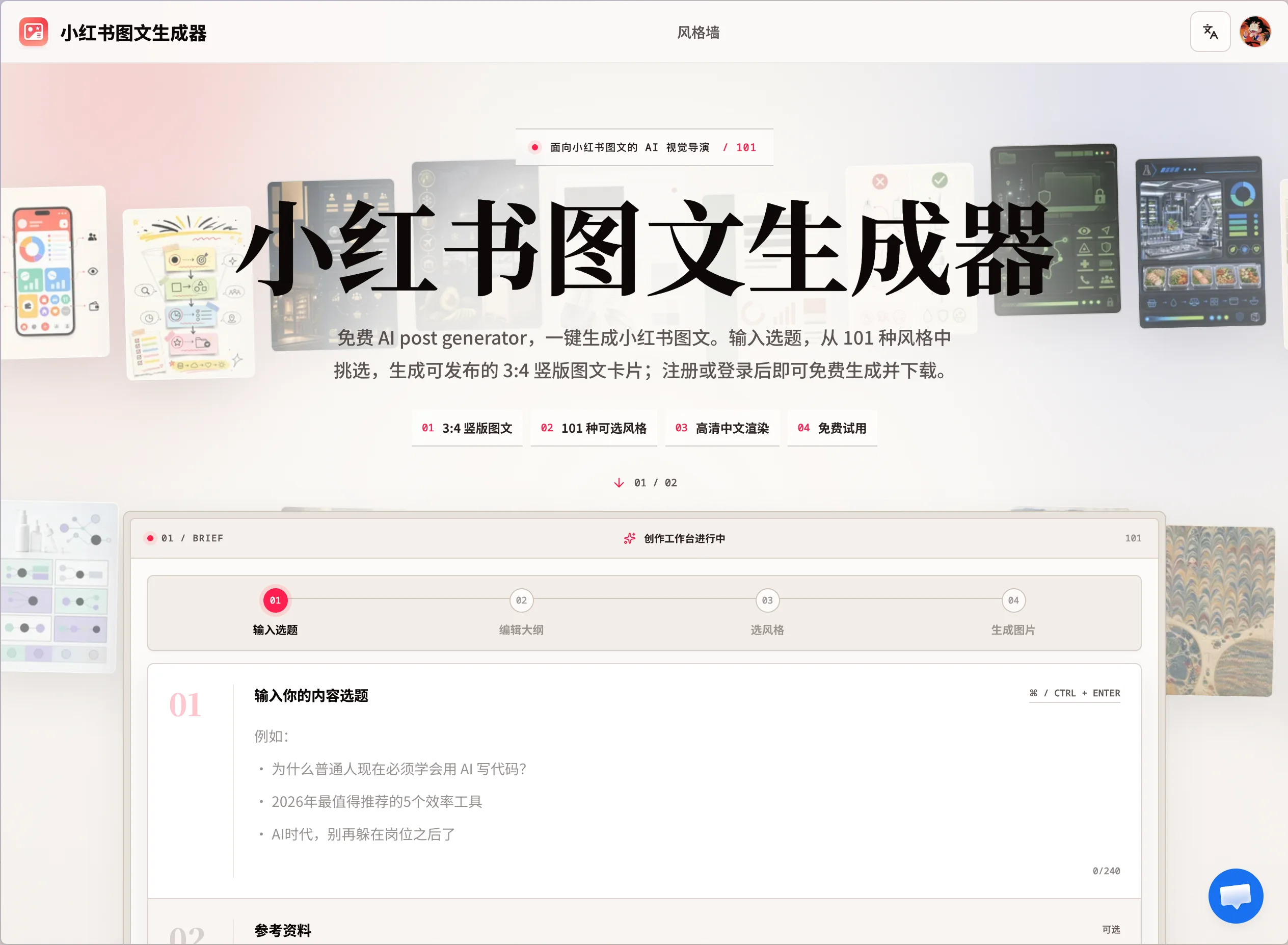
XHS Post Generator is a free AI-powered Xiaohongshu post maker that develops your topic into copy and polished 3:4 vertical cards. Choose from 101 visual styles, generate a complete post, and download the images for your publishing workflow.
Disclosure: XHS Post Generator and this independent Murdoku guide are made by the same creator.
01 / What it does
From a blank prompt to a designed post
Creating a Xiaohongshu post usually means switching between research, outlining, writing, layout, and image tools. XHS Post Generator brings those steps into one focused workflow. Enter a topic, optionally add reference material, review the generated outline and copy, then select a visual direction before creating the final cards.
The main advantage is not merely speed. The tool keeps the words and visual hierarchy connected, so headlines, supporting points, and page-to-page flow are designed as one post instead of assembled from unrelated outputs.
02 / Workflow
How to create a Xiaohongshu post
- 01Enter your topic
Start with an idea, question, tutorial, list, story, or campaign angle.
- 02Review the AI draft
Refine the outline and wording so the post matches your facts, voice, and audience.
- 03Choose a visual style
Browse 101 aesthetics instead of manually building a layout from scratch.
- 04Generate and download
Create 3:4 cards, inspect every page, and download the finished images for publishing.
03 / Example output
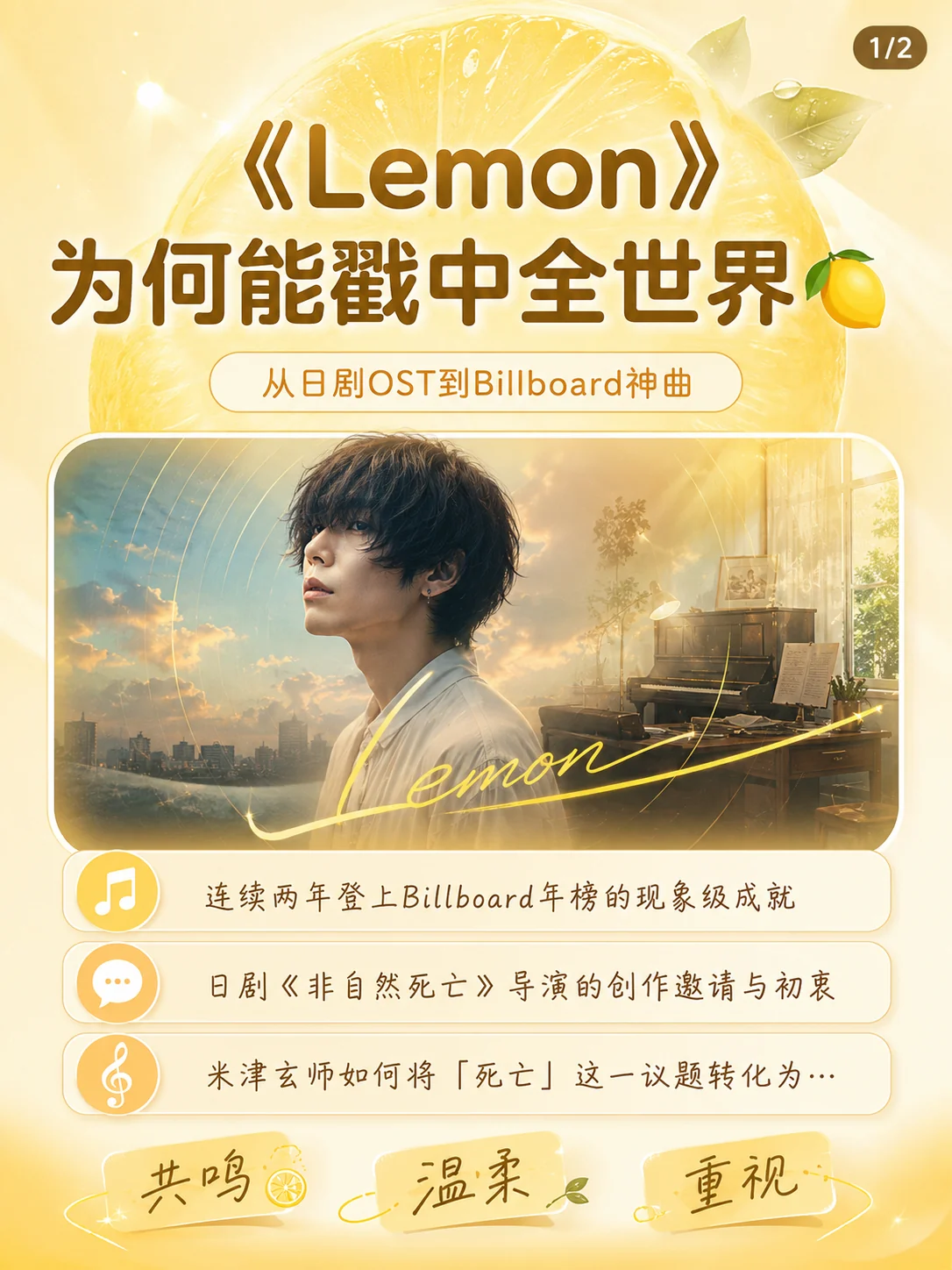
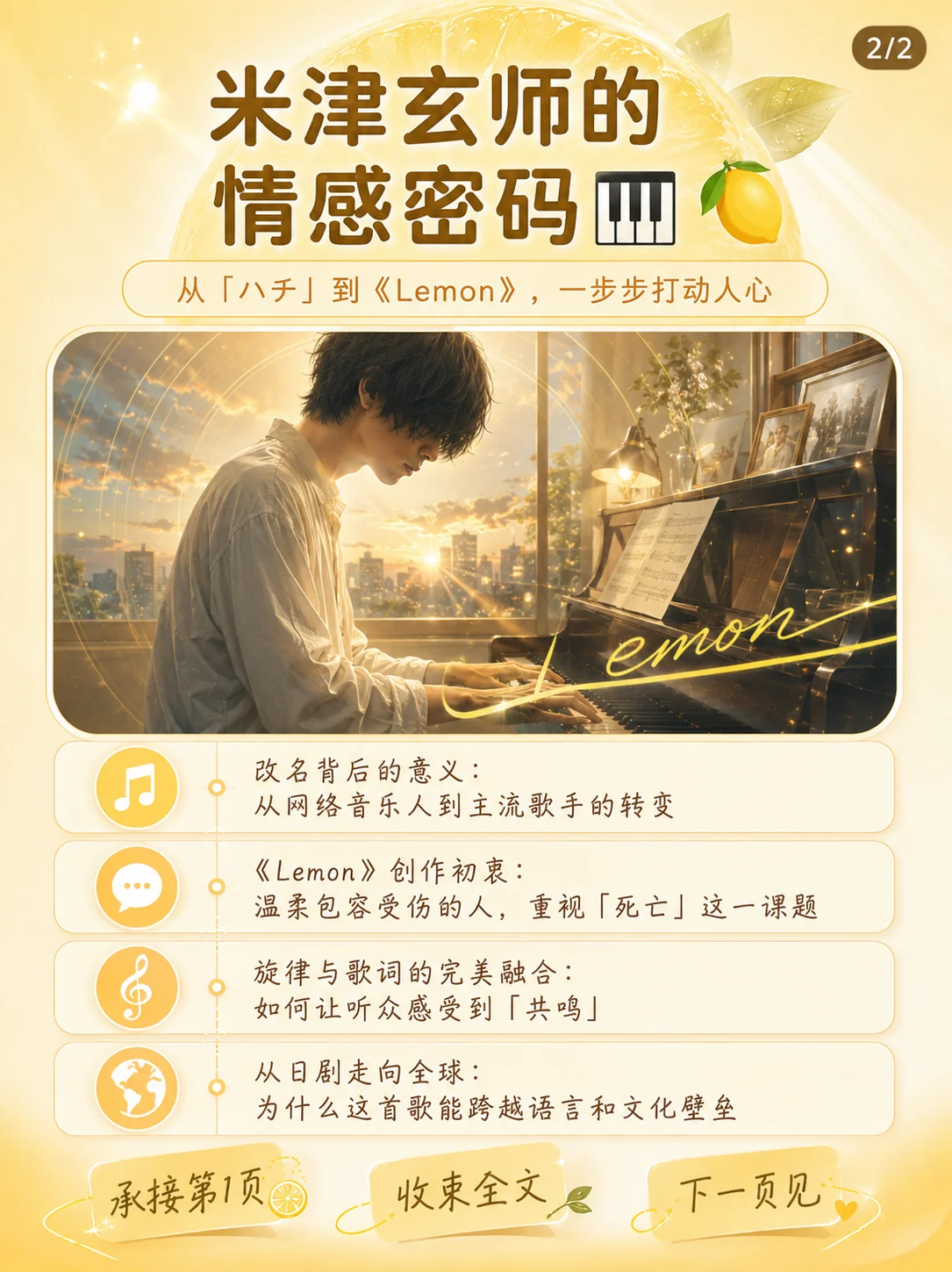
A two-card visual story about Kenshi Yonezu's “Lemon”
This generated example turns a music-analysis topic into a compact carousel. The first card establishes the hook and reading promise; the second continues the story with a clear hierarchy and a consistent lemon-yellow art direction. It shows how one visual system can carry a topic across multiple pages without requiring manual layout work.
04 / Best for
Who can use it?
Turn a backlog of ideas into visually consistent post drafts.
Explore campaign directions before committing design resources.
Package explanations, checklists, and lessons into swipeable cards.
Create a usable layout without prior design or typography experience.
05 / Before publishing
Treat AI output as a strong draft, not an unchecked final
Review facts, names, quotations, image rights, and brand claims before posting. Generated cards may also need small copy edits for your own tone. The tool removes much of the blank-page and layout work, while you remain responsible for accuracy and the final publishing decision.