Murdoku Online Guide
Murdoku Online Guide: How to Play
This Murdoku Online guide starts with the official interface: character clues, the case map, and the small tool panel. Murdoku only makes sense when those three parts are used together.
The four rules that make Murdoku work
Murdoku feels like sudoku because every placement narrows a row and a column, but this Murdoku guide proves each answer from the crime scene.
One person per row and column
Each Murdoku row and column can contain only one person. A confirmed character blocks those lines for everyone else.
Every clue must be true
Murdoku clue cards describe rooms, objects, directions, or relationships. Treat each clue as a rule, not a hint.
The map is evidence
Rooms, furniture, objects, colored areas, and blocked cells all affect which squares can hold a person.
Find the murderer last
After the board is solved, the murderer is the person left alone with the victim in the same area.
Read the game screen first
Before placing anyone, identify what each part of the interface is telling you.
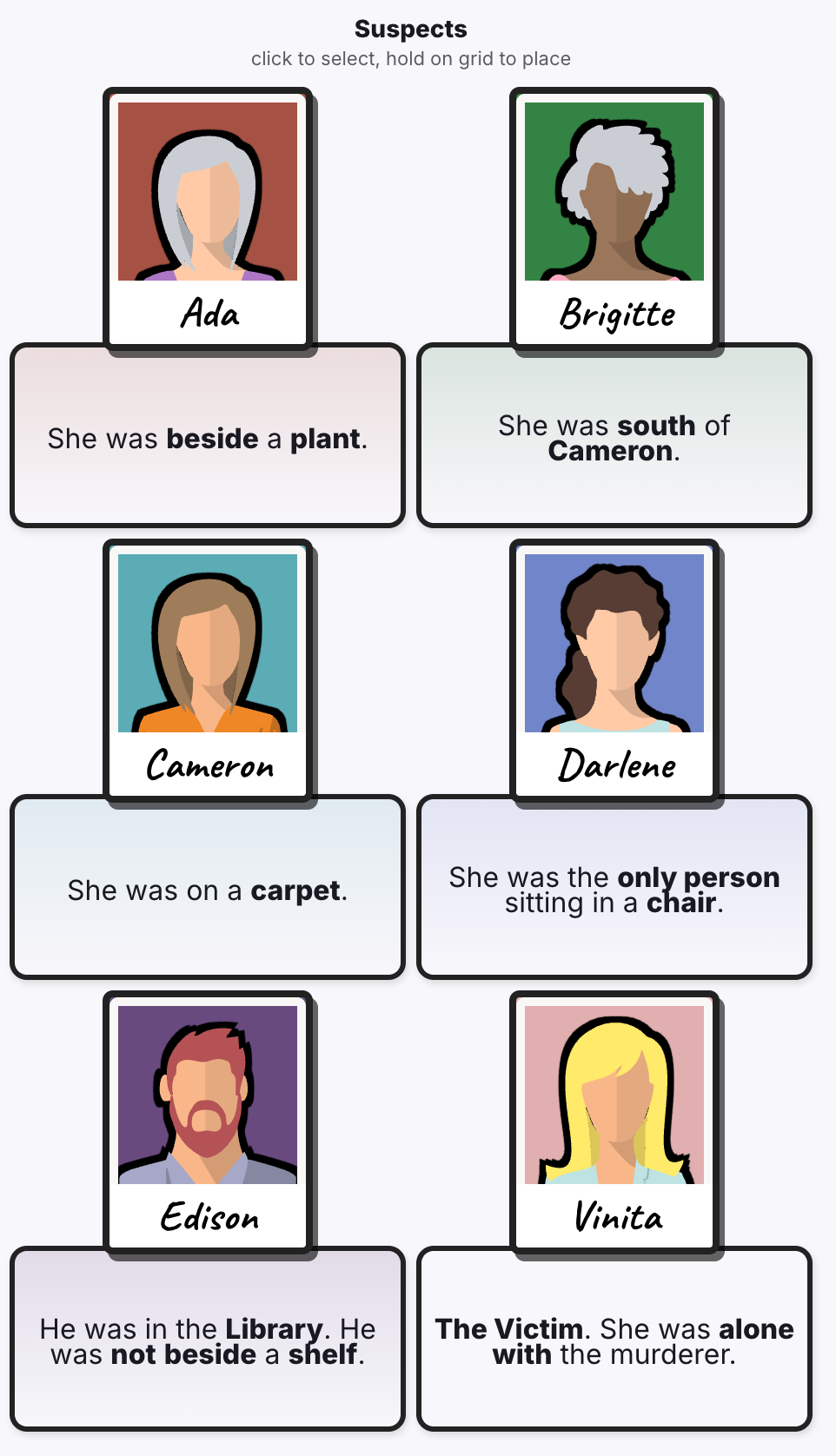
Character list and clue cards
Every Murdoku character has a card with a clue below the portrait. Read all of them carefully. Some clues point to an object, some depend on another person, and the final victim card is marked with V.
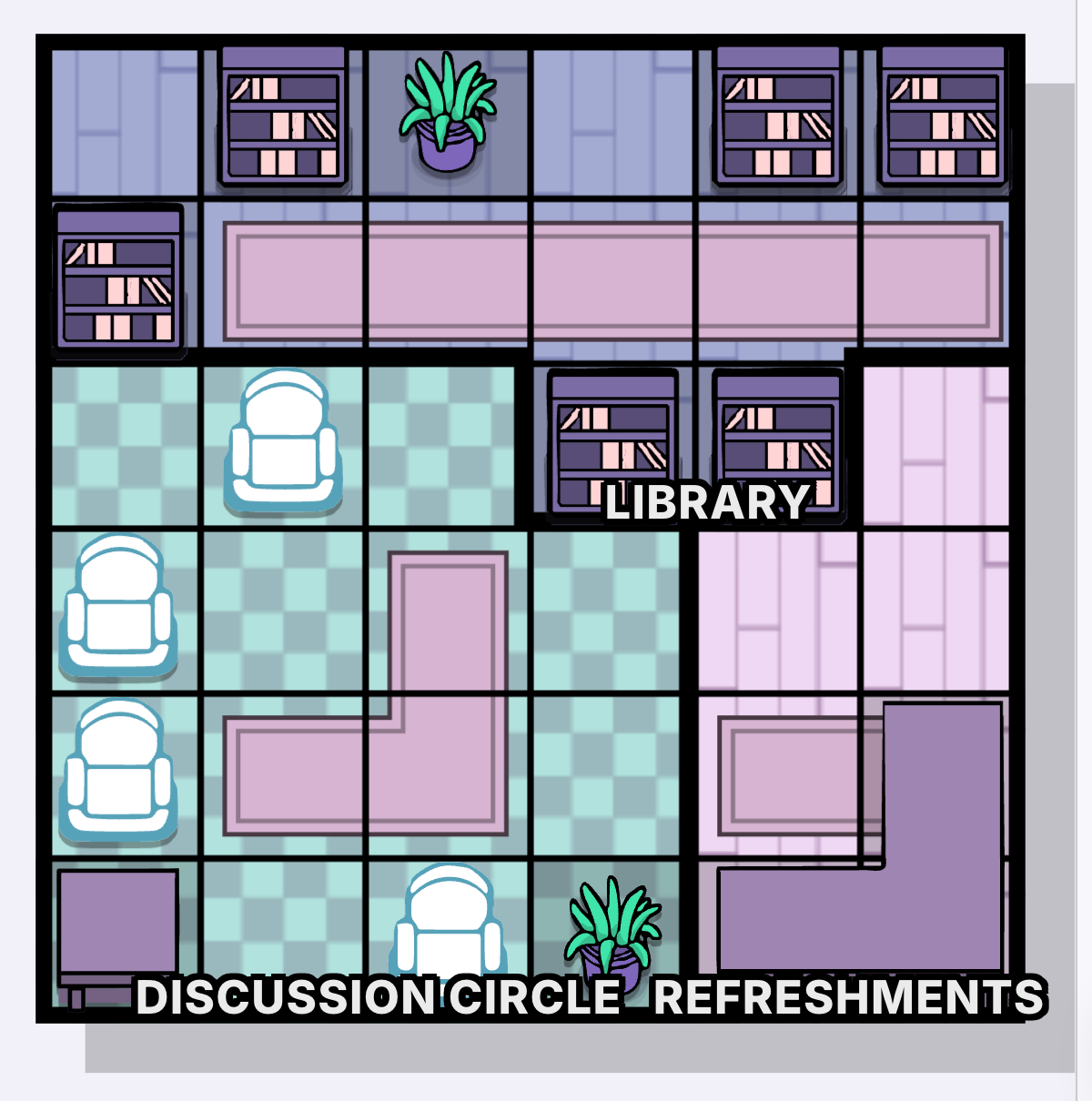
Case map
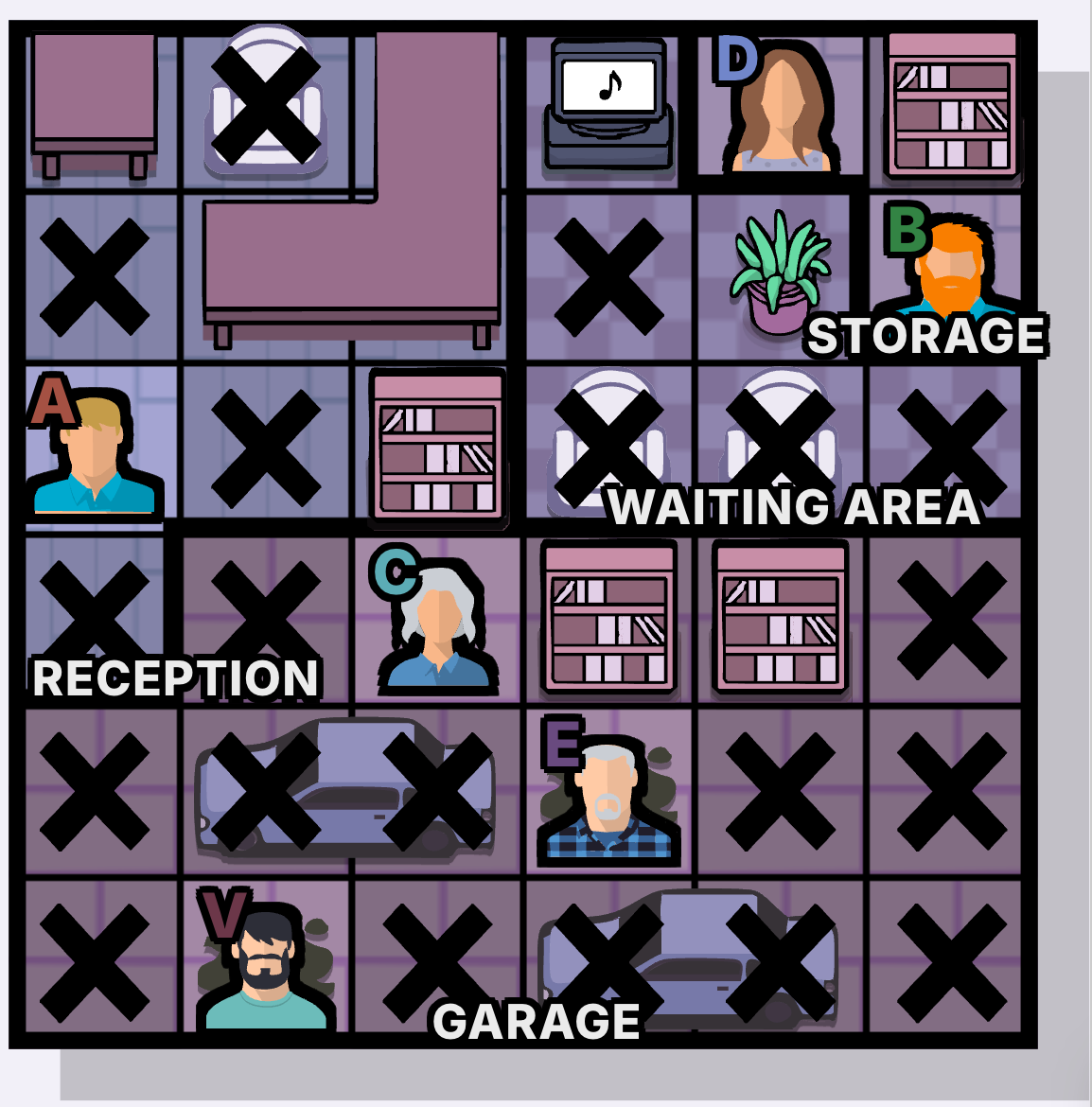
The map is a grid of possible positions. Room labels, colored regions, furniture, plants, carpets, shelves, and chairs can all appear in clues, so treat the board like evidence rather than decoration.
Tool panel
From top to bottom: mark X, remove marks, undo the previous move, submit the full board, open the how-to-play panel, and other secondary controls. Right-click a map square to quickly mark X. Tip: long-press the eraser to clear every mark on the map.

Core controls
Once you understand the screen, play by selecting a person or tool first, then acting on the map.
Select, place, and cancel
Left-click a character, move the cursor to a map square, then left-click again to place that person. Click the placed character again to remove the placement. X marks work the same way. If the eraser is selected, clicking a square removes the current mark directly. X and eraser can also be held and dragged across multiple squares.
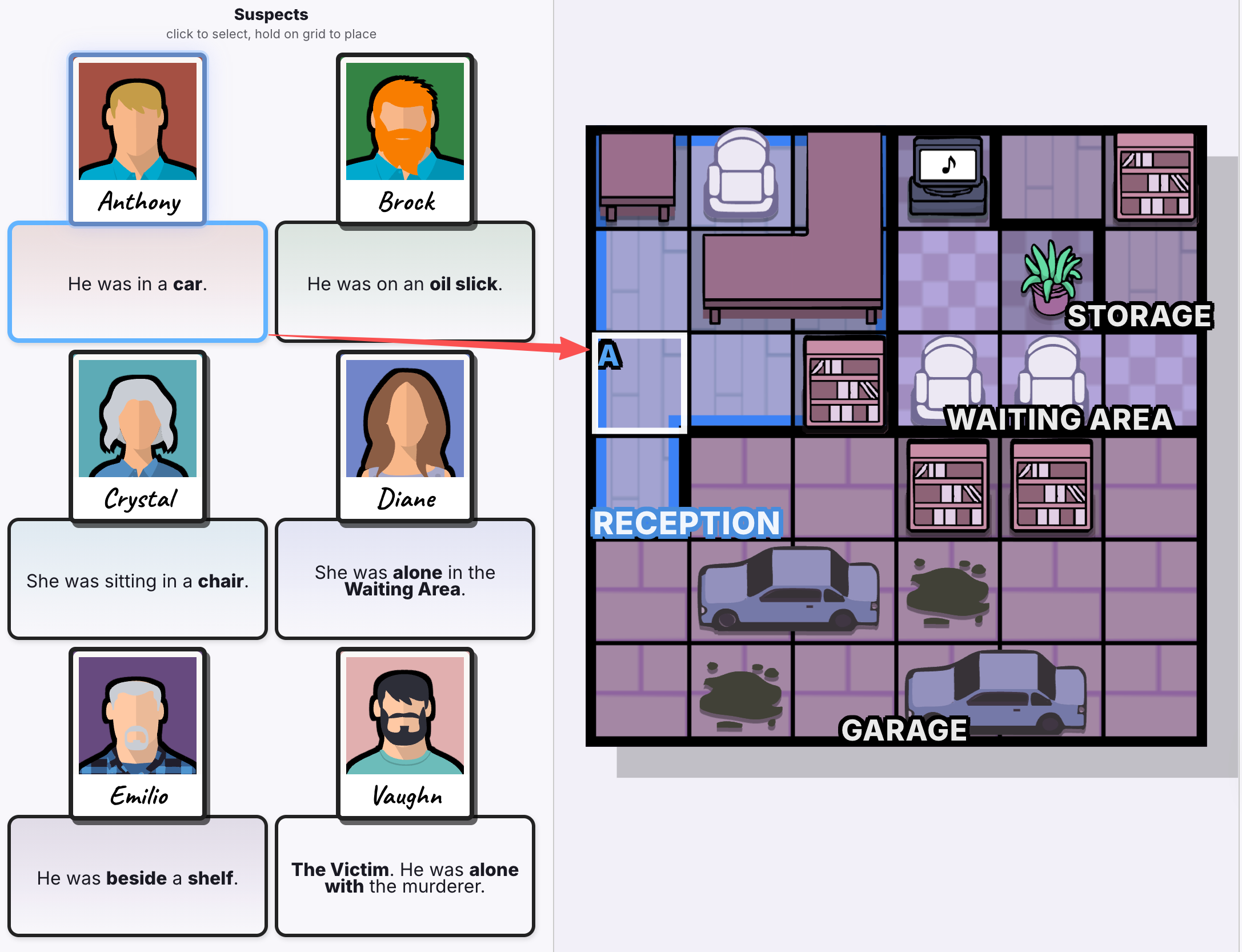
Hold to lock a character position
After selecting a character, move to a grid square and hold the left mouse button. A circle animation appears. When the position is confirmed, the map warns you that the same row and same column cannot hold another person. This row-and-column limit is the most important Murdoku Online rule.
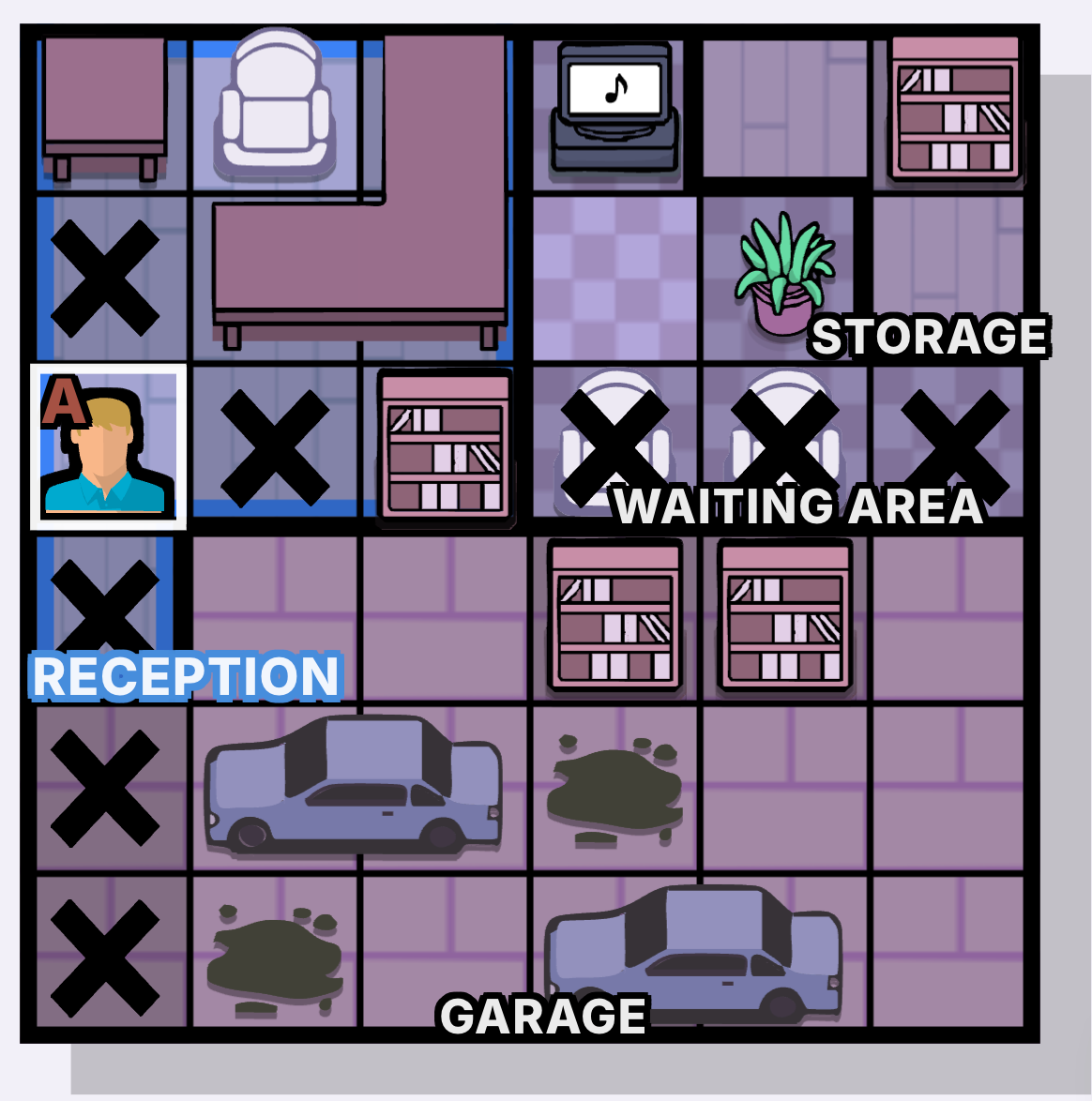
Fill every required square
Your goal in this Murdoku Online guide is to place every character plus the victim, shown as the final V, while satisfying both rules: no repeated person in a row or column, and every clue below every person must be true. Fill impossible squares with X to keep the board readable.
Submit and read the result
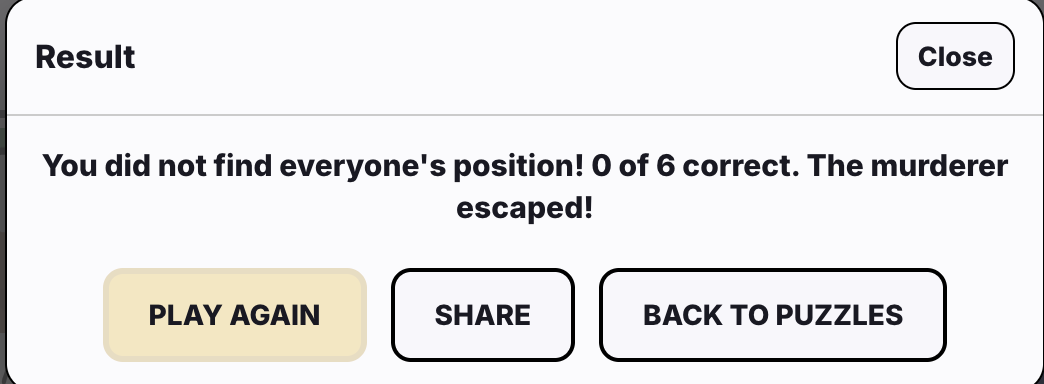
When the whole Murdoku map is filled with characters, the victim, and X marks, press Submit to check the answer. If it fails, Murdoku tells you how many positions are correct. If it is correct, you can move to the next case.
Terms worth learning next
Directly adjacent up, down, left, or right.
Lower on the map than the referenced person or object.
No other character shares that described object or condition.
The victim and murderer are isolated together in the relevant area.
See the full glossary for detailed term explanations, examples, and common mistakes. Full Glossary ->
Understand the wider puzzle format
Once the placement rules make sense, compare Murdoku with the broader murder-mystery Sudoku and logic-grid family.